![]() |

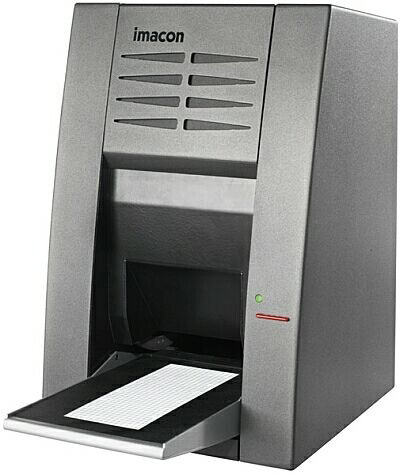
The Imacon drum scanners have been available on the market for some time and their ability for clean hassle free and high resolution scanning of film has made the old oil mounting drum scanners almost obsolete.
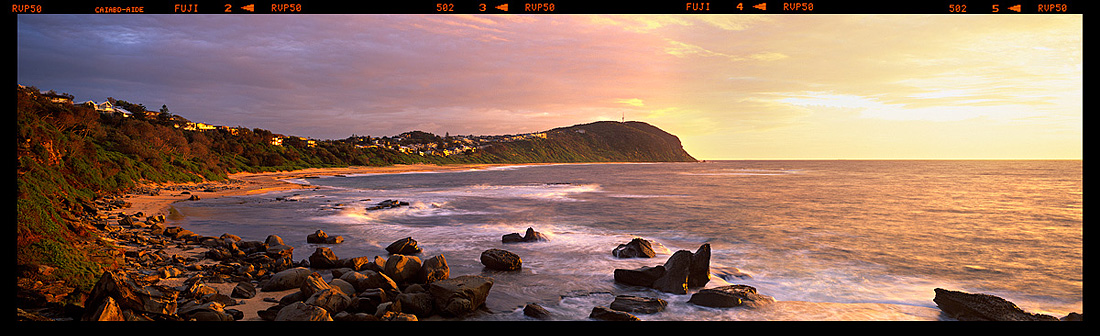
When selecting someone to scan your film why go anywhere else other than to someone who is in the industry. All the images on this web site have been scanned by us and our Imacon 343.
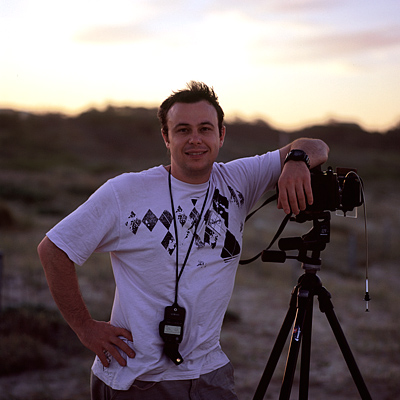
When Matt first received his Imacon he painstakingly re scanned all his work that was done by other labs, even those who had their own Imacon's. My re scanned images had better colour depth and tones as I was now in control and could pay that extra bit of attention to the scans other than just hitting the "auto" adjust button and that's it.
Our scans are super clean without the heavy use of dust removal software that tend to also try and remove items in your shot that it thinks is dust when it is really part of the image.
We scan film for other professionals and serious film shooters, but our own work is the best reference for the type of quality and results you can expect from our scanning service.
Our scanning pricing is the best in the industry. For many years photographers have been held hostage to the high price of high quality, high resolution scanning of their film due to the cost of the machines that do the scanning.![]()
We pride ourselves on offering that same excellent scan quality at a price that we feel is more realistic to what is being done.
Our pdf pricing and information sheet is available for download on your left by clicking on the Adobe PDF image. If you are in need of further details about our scanning then below is a series of videos about our service in action, along with how to send your film to us and also a list of Frequently Asked Questions about print size of our scans, colour spaces, dust removal and more.
If you find your question un answered in all this information please send us an email via our contact page.
This video will show you how we recovered for a client an underexposed 617 velvia 50 slide with a serious magenta cast, to a perfectly useable high rez digital file.
A perfect example of what we can do for you
in this situation.
This video will show customers how we will remove colour casts from their image that can be the result of the lighting environment they shot in or the result of the film they shot with like Velvia 100 which is notorious for having a magenta cast in it.
Video is yet to be released.
This video will show the "actual pixels" detail you will get out of your scan at various dpi settings we can scan your film at.
Video is yet to be released.
Your film is valuable, so please make sure you pack it well so it gets to us safe.
Something as simple as putting in between to piece of cardboard will be enough. Usually when your film is processed and given to you it will come with cardboard, use that.
Please include a self addressed registered or express post envelope with your order.
This is to ensure your film doesn't get lost, has tracking and is delivered to us quickly.
Please post all your film to the following address:
Matt Lauder Photography
Po Box 9460
Wyoming
NSW, 2250
Drop off and Pick Up of film is possible but please contact us prior to doing this.
How long have you been scanning film ?
We have been scanning film for over 8 years. All the work on this web site has been scanned by us and we offer the same handling and attention to detail in your scans as we do our own.
How big can I print off your scans ?
This isn't a question with a clean cut answer as real printing size can come down to several issues. How good is your capture (lens sharpness, focus) the medium you have captured your film on ie 35mm, 6x6 or 6x17.
Then the next point is what are you printing on. If your printing on photo paper then most ink jet printers and lambdas are printed at 300 dpi where if your printing canvas then you can print from 100 dpi to 300 dpi, so you will get a much larger print out of a smaller scan file on canvas than you would on photo paper.
We scan all our work at 400 dpi and from that we get a 100MB scan and from that and we have no problem printing 75 inch @ 300 dpi on paper like Fuji Flex.
The best way to tell is for you to get an image scanned by us and then you can check for yourself to see what size scan works best for you.
How do you handle and clean film ?
All film is handled with white cotton gloves and all film before scanning is blown with compressed air.
How clean are your scans ?
Clean scans come down to two things. How clean is the film you sent us and how clean is our working environment.
We attempt to scan your film in an environment that is as clean as we can make it. Our scanner is housed in a tent to avoid any outside dust and particles from landing on your scan while it is scanning.
Your film may require minor spot cleaning of small marks after scanning.
Scanning colour space ?
As a default we will scan your film in Pro Photo RGB as it is the largest colour space available. But we can scan it also in Adobe RGB, or for those that use the Joseph Holmes Chrome Space 100 we can scan directly into that for you as well.
Converting your Pro Photo scans to Adobe RGB is a simple process in Photoshop. (In Photoshop go to Edit > Convert to Profile then change the destination to Adobe RGB and your done)
Do you use pre scan dust removal ?
From our testing with the Flex Touch dust removal system with the Imacon, we find that when used it's application will help slightly, but more often than not if your film is clean then it is un necessary and the use of it can try and remove certain parts of your image like phone / power lines and ropes on boats. So we don't use this option when scanning.
Can you fix badly taken photos ?
Yes and No. It really does depend on that is wrong with the photo. If your shot is under exposed then we can do our best to fix it. If your shot has a serious colour cast to it, then we can remove the cast before we do the scan.
This is best done on case by case basis. Please send us your film and we wont charge you for trying to get the film look the way you want. A cost is only applied when we scan the film.
We have uploaded a video showing you what we can do with a Velvia 50 shot that is both under exposed and has a serious magenta cast.
What file format do you save in ?
All scans are saved as TIFF files.
What can you scan ?
At the moment we can scan 35mm, Xpan and all Medium format film, both colour, black and white and transparency film.
Our scanner is unable to scan Large Format film.
Our Range of Photo Courses